
Note quizzes
Read the staff first. Then hold the pitch.
Recognise the note in the staff quiz. In the performance quiz, use the microphone to land what you play or sing on the target note.
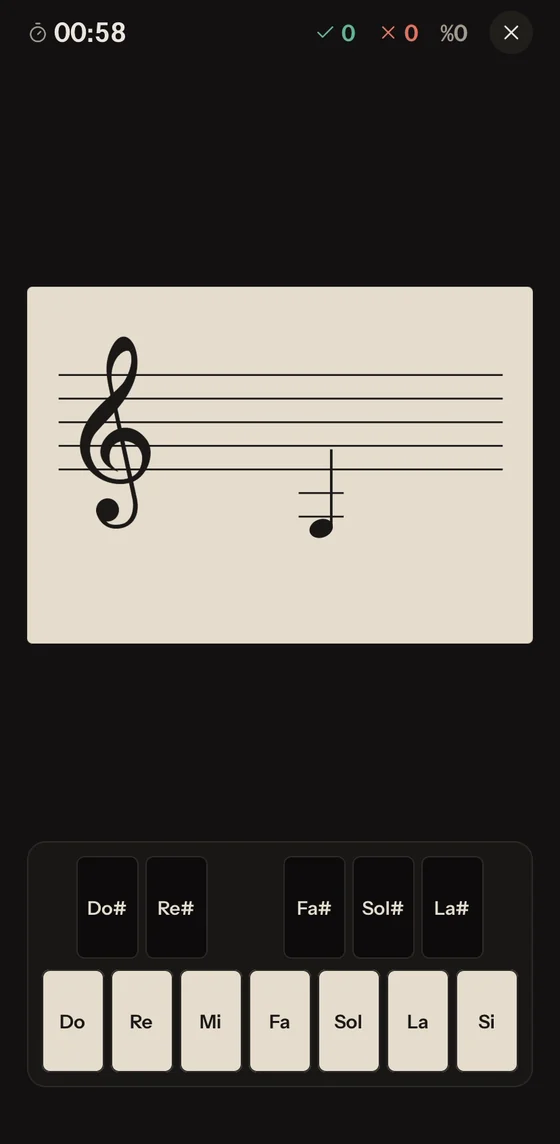
Two quizzes, three modes
Staff quiz
Pick the name of the note you see on the staff. Treble, bass and alto clefs.
Performance quiz
Play or sing the note on the staff; the microphone listens for the correct concert pitch for your instrument.
1 min and 5 min
Timed rounds count towards the weekly leaderboard.
Practice area
Untimed practice: choose the clef, note range and sharps/flats yourself.
Net score and XP
Right and wrong answers become a net score; your profile shows your history and total XP.
Transposition
In the performance quiz you choose your instrument’s key; the note on the staff is the written pitch.
Modes
Each mode serves a different purpose.
- Staff quiz · 1 min / 5 min
- Timed round; when completed it counts for Record and (if eligible) Marathon
- Staff quiz · practice area
- Clef, range and accidentals; not saved to the leaderboard
- Performance quiz
- With the microphone; not included in the leaderboard
- Class quiz
- An assignment opened by a teacher; not written to the global leaderboard
- Clefs
- Treble, bass, alto
How a round works
Choose a mode
Staff or performance; a timed round or the practice area.
Choose a clef
Treble, bass or alto; in performance, pick your instrument too.
Finish the time
When a timed round ends you see correct, wrong, accuracy and net score.
Scoring and leaderboard rules
- A timed round that you leave before the time is up is not saved to the leaderboard or your history.
- The penalty per wrong answer depends on accuracy: 95% and above −2, 90–94.9% −3, 85–89.9% −4, 80–84.9% −5, 70–79.9% −6, below 70% −8.
- A completed timed staff quiz counts for Record; Marathon requires 80% accuracy or higher.
- The performance quiz and the practice area are not included in the leaderboard.
- Guest scores are not saved to the leaderboard or history; create an account right after the round and that score is saved to it.
Try it in your browser
Try it in your browser
A five-question round in treble clef. See the note, pick its name, get your score.
These demos are for illustration; they are not the app itself. No microphone is used.
Try three tools without installing.Question 1/5
Score 0
Which note is on the staff?
Treble clef
Common questions
Which clefs are available?
Treble clef, bass clef and alto (C) clef.
Does the performance quiz count on the leaderboard?
No. The performance quiz is not included in the leaderboard, and the practice area is not saved either.
What do I need for Marathon?
Complete a timed staff quiz with 80% accuracy or higher.

Download it. Play a set.
Completely free. iPhone, iPad and Android; ages 13 and up.